
How to get more views using the YouTube Community Tab
Let us sit down and be completely honest with ourselves for a minute. If you are a creator, you already know the grind. You spend hours researching a topic, scripting, sitting in front of the camera, and then moving over to your laptop to edit. For someone living and working in Lagos, you also have to factor in the cost of fuel to keep the generator running just so your PC does not shut down in the middle of a heavy export. You buy expensive data, you finally hit that publish button, and then what do you do?
If you are like the vast majority of creators out there, you immediately go to your YouTube Community Tab, paste the thumbnail, drop the link, and type a very dry message like: "New video out now, please guys go and watch."
Even me, I have to confess that I do that honestly. For the longest time, that was my only strategy. But recently, I had to take a step back and look at the actual data. As an accounting graduate, I am trained to look at the numbers and audit my processes. When I audited my channel's engagement, I realized that using the Community Tab as a dumping ground for links is a massive waste of algorithmic potential. The top creators are not just posting links; they are using it to post educative content, run polls to discover the exact problems their viewers are facing, and treat their audience like a real-time focus group. They use the Community Tab as a primary source to solve problems and find out exactly what video they should make next.
Seeing this data made me realize that I need to start partaking in what I preach. We cannot treat our channels like a hobby if we want to get paid like a business. It is time to stop ignoring the free traffic sitting right inside the YouTube app. Here is a complete, data-driven breakdown of how to actually use the Community Tab to farm engagement, revive your old videos, and scale your channel.
1. The "Right Post for the Right Job" Strategy
One of the biggest mistakes creators make is treating every community post exactly the same way. You cannot just spam the same format every day and expect miracles. Every type of post works perfectly if you match it to the specific type of information you want to pass across to your audience. You need an arsenal of different content types. Here is how you should categorize them in your daily content strategy:
The Market Research Polls
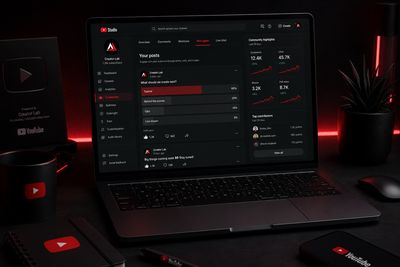
If you are trying to get direct feedback, polls are your absolute best friend. Think of a poll as a free survey that YouTube pushes to thousands of people for you. Instead of sitting down and guessing what your next video should be about, you can use a poll to ask your audience directly. Give them four options for your next video topic and let them vote. You are literally letting your audience write your content calendar for you.
Furthermore, you can use polls to ask questions about a particular topic you have already taught. If you recently uploaded a web development tutorial on Python or JavaScript, run a poll a few days later asking your audience which specific part of the code they found the most confusing. The option that gets the highest votes is your guaranteed topic for your next follow-up video.
The Image Quiz for Retention
Image quizzes are very similar to polls, but they are highly visual and designed to stop people from scrolling past. The human brain processes images significantly faster than text. If you run an educational or tech channel, you can test your viewers' knowledge on something you explained in a previous video. For instance, you could post two different screenshots of a user interface design—one in a premium dark mode aesthetic and one in a standard light mode—and ask them to spot the design flaw. It gamifies your channel. People love testing their knowledge, and every time they vote on that quiz, they are signaling to the YouTube algorithm that your channel is highly engaging.
Memes for Pure Engagement
As creators, we sometimes take ourselves too seriously. We think every single post has to be a masterclass. But the reality of social media is that people log in to be entertained. Memes are strictly there to entertain your fans and farm engagement. A good laugh builds a much stronger emotional connection than a dry tutorial link. When you post a relatable meme about the struggles of being a creator, or the frustration of a software crash, you are building community. People will like, comment, and share it. This tells the algorithm that your channel is active and loved, which indirectly boosts the reach of your actual videos.
Behind-The-Scenes (BTS) Text
You can use short text posts or raw, unedited photos of your workspace to build massive anticipation for a new video that is dropping soon. If I am working on a new coding project or developing a new tool, taking a quick picture of my monitor and saying, "Been awake since 2 AM writing the logic for this new feature... dropping the full tutorial tomorrow," makes the audience feel involved. It makes them feel like they are part of your production process, rather than just passive consumers. I have never really utilized these types of posts to their full potential—I used to only use the tab to share new videos back then—but the psychological impact of BTS content is undeniable.
2. The Massive 2025 Algorithm Shift
If you asked me about the Community Tab a few years ago, I would have told you that it only really works if you already have a massive audience of active and returning viewers. Back then, you could only use it to communicate with the people who had already subscribed to you, making it a decent tool to help promote old videos that did not get traction, provided they offered a real solution.
However, everything changed drastically in 2025. You no longer need to have returning viewers to get people to like or engage with your community posts. The YouTube algorithm underwent a massive shift to compete with text-based platforms, and as a result, it started pushing community posts aggressively into the home feeds of non-subscribers.
The algorithmic gates were thrown wide open. I have heard of and seen some channels that managed to gather over 100,000 subscribers simply by using community posts. What were they doing? They were posting simple, relatable memes and image quizzes that an eight-year-old would know the answer to. They understood that the algorithm currently rewards high interaction rates, regardless of the content format.
Now, you might be thinking, "But I run a serious tech channel, I can't just post childish memes." That is the beauty of it—you do not have to. Niche creators can easily adopt this exact same strategy and tailor it for the specific viewers they make videos for. If you teach graphic design, run a quiz on color theory. If you teach finance, run a poll on investment habits. The underlying mechanic is exactly the same: you are capturing free impressions from non-subscribers who are interacting with your poll, which then prompts YouTube to recommend your actual long-form videos to those same people the next time they open the app.
3. Resurrecting Your "Dead" Assets
Let us look at this from a pure business perspective. An old video that you spent three days making is an asset. Just because it is a few months old does not mean it has lost its value, especially if it is evergreen, educational content. The problem is that YouTube stops promoting it after the initial launch window.
This is where the Community Tab becomes your ultimate marketing tool. It takes roughly two minutes to draft a highly engaging community poll or text post. If that post goes viral because of the 2025 algorithm shift, it might be seen by 50,000 people. If you cleverly pin a comment under that viral poll saying, "If you want to know the full answer to this, I broke it down step-by-step in this video," and you link your old video, you have just created a massive funnel of free traffic. You are using the cheap, fast attention of a text post to drive high-value watch time to an old asset. This is how you maximize your return on investment without even having to pick up a camera to shoot something new.
🛠️ The Next Evolution: Automating the Process
(Working smarter, minimizing manual labor, and letting the data drive the growth.)
Knowing what to do is one thing, but consistently doing it is another. Because I strongly believe in building systems to solve creator problems, we are actively creating a specific tool dedicated entirely to Community Posts inside TubeUtility. Imagine a dedicated module that analyzes your specific channel niche and automatically generates high-converting poll questions, interactive quiz ideas, and engaging text templates designed specifically to trigger the YouTube algorithm. Instead of staring at a blank screen, you will have a data-backed list of ideas ready to be deployed.
Conclusion
Until that tool is fully developed and live, the mandate for today is simple: stop ignoring your Community Tab. Stop using it as a graveyard for your video links. Start asking questions, start running polls, start sharing your behind-the-scenes struggles, and watch how the algorithm rewards you with fresh eyes and a highly engaged community.
🚀 Next Step in Your Creator Workflow
While you start revamping your Community Tab strategy, make sure your channel is actually optimized to retain the new viewers you bring in. Run your current channel data through our free YouTube Engagement Calculator to see where your channel health stands against the platform average today.